EDWARD'S LECTURE NOTES:
More notes at http://tanguay.info/learntracker
C O U R S E
Programming Mobile Applications for Android
Adam Porter, University of Maryland
 |
C O U R S E L E C T U R E The Fragment Class Notes taken on July 1, 2014 by Edward Tanguay |
•
fragments were added to Android 3.0 to better support interfaces for devices with larger screens
•
some of the design heuristics that made sense for smaller phone display no longer work
•
example application: quote viewer
•
two activities
•
1. shows titles of Shakespeare plays
•
2. when title is selected, a quote from that play is shown
•
this is an appropriate interface for a phone
•
on a tablet, however, the display is not too high and wide
•
too much white space
•
uses little of the vertical space
•
imposes a slow back-and-forth user experience since the user has to move his hand so far
•
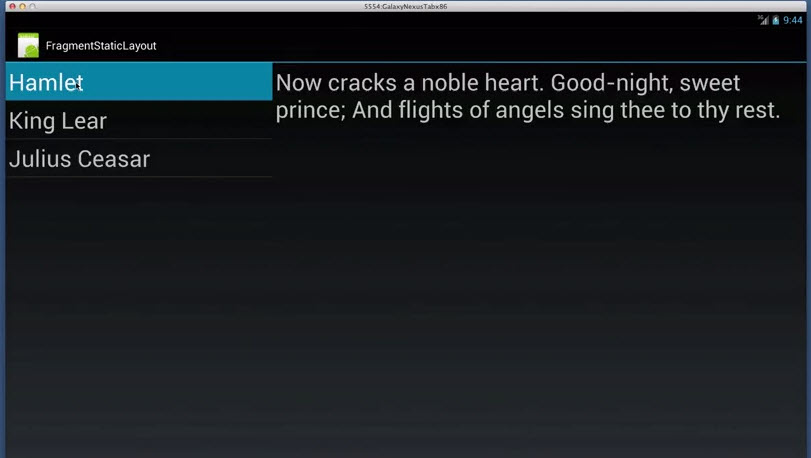
better layout for tablet:
•
quotes now get shown on right
•
single activity
•
two fragments
•
fragments
•
are hosted by activities
•
an activity can host zero or more fragments
•
lifecycle of a fragment is tied to the lifecycle of the activity that is hosting it
•
a fragment is statically bound to its hosting activity
•
a fragment also has some of its own lifecycle callbacks
•
two states
•
resumed
•
fragment is visible in running activity
•
paused
•
another activity is in the foreground and has focus
•
containing activity is visible
•
stopped
•
fragment is not visible
•
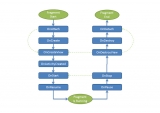
lifecycle callback statements
•
onAttach()•
fragment is first attached to activity
•
onCreate() (not the same as the activity)•
unlike in activity.onCreate(), you don't set up the user interface here, but in onCreateView()
•
onCreateView()•
set up user interface
•
sets up and returns a view which contains the fragment's user interface
•
onActivityCreated()•
fragment gets this call after its view has been installed in the activity's view hierarchy
•
after fragment's user interface has been installed in the activity, its lifecycle is dependent on the life cycle of the activity
•
if the hosting activity is about to become visible, it will receive a call to its
onStart() method, and the fragment will also receive a call to its onStart() method•
same with
onResume()•
same with
onPause()•
same with
onStop()•
when activity is destroyed, fragment receives a call to
onDestroyView()•
clean up resources associated with the view
•
then when fragment is no longer in use, it receives a call to its
onDestroy() method•
when no longer attached to activity, it receives called to
onDetach() where you might want to null out references to the hosting activity