EDWARD'S LECTURE NOTES:
More notes at http://tanguay.info/learntracker
C O U R S E
Programming Mobile Applications for Android
Adam Porter, University of Maryland
 |
C O U R S E L E C T U R E The Android Development Environment Notes taken on June 14, 2014 by Edward Tanguay |
•
Android development environment
•
you need JDK6
•
JDK7 will work but is not fully supported by Android
•
download and install the Android Tools ADT Bundle
•
latest Android platform
•
Eclipse + ADT Plugin
•
latest system image for emulator
•
run and debug applications
•
additional development tools
•
link: http://developer.android.com/sdk/index.html; Android SDK with Eclipse and ADT Bundle; Current standard development environment for Android apps
•
link: http://developer.android.com/sdk/installing/studio.html; Android Studio; Google's solution for Android development
•
HelloWorld application
•
click icon, see white screen that says "Hello World"
•
Eclipse
•
create new project
•
Android Application project
•
HelloAndroid
•
package name: course.examples.hellowandroid
•
next, next
•
onCreate() is run first
•
Android Virtual Device Manager
•
create a GalaxyNexus
•
click on machine and choose start, then the emulator
•
benefits of emulator
•
cheaper
•
you can configure hardware characteristics
•
won't damage the device
•
negatives of emulator
•
quite slow
•
no support for blue tooth or connecting USB connections
•
it's not an actual device so can't test everything
•
advanced features of emulators
•
network speed/latencies
•
battery power
•
mock location coordinates
•
terminal window
•
emulator
•
telnet localhost 5554•
emulators slower edge network with
network speed edge•
then change back to 3G:
network speed full•
lower battery:
power capacity 5•
unplug the emulator:
power status not-charging•
open up maps, it thinks it is near Washington DC
•
then sends
geo fix 0.00 40.00 now in beach in Spain•
emulate incoming SMS:
sms send 3015557777 "this is a test message"•
allows two emulators to interact with each other
•
dials second with first
•
dials the port number 5554
•
debugger
•
application that has a bug
•
sets breakpoint
•
right click project, debug as, android application
•
breakpoint line highlighted
•
steps through
•
help most when you have a good idea where the error is being caused
•
monitoring tools in DDMS (Dalvik Debug Monitor Service)
•
file explorer
•
files on file system of device
•
logcat view
•
either system or custom
•
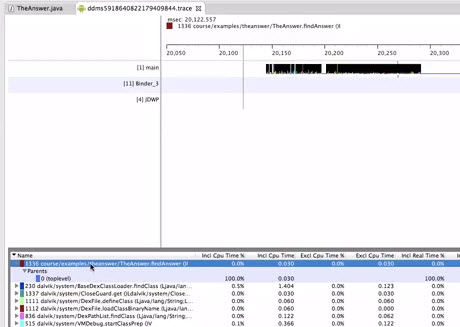
trace view
•
traces the methods that your application calls
•
debugs to break point
•
open DDMS viw
•
click on start profiling
•
resume application
•
let app run
•
stop profiling
•
trace view shows each method calls sequne and duration
•
profil and timeline views
•
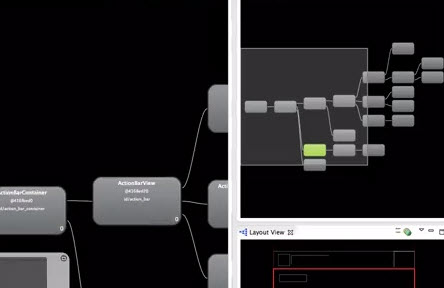
UI Hierarchy Viewer
•
shows the runtime organization of the user interface
•
runs application